How to Remove or Unpublish Target Languages in Transtore
This guide is designed to help you manage the languages on your Shopify store with Transtore. Whether you want to remove or unpublish specific target languages, understanding the difference between these options will help you maintain a seamless shopping experience for your customers.
I. Remove a Target Language
If you want to permanently remove a language from your Shopify store, follow these steps:
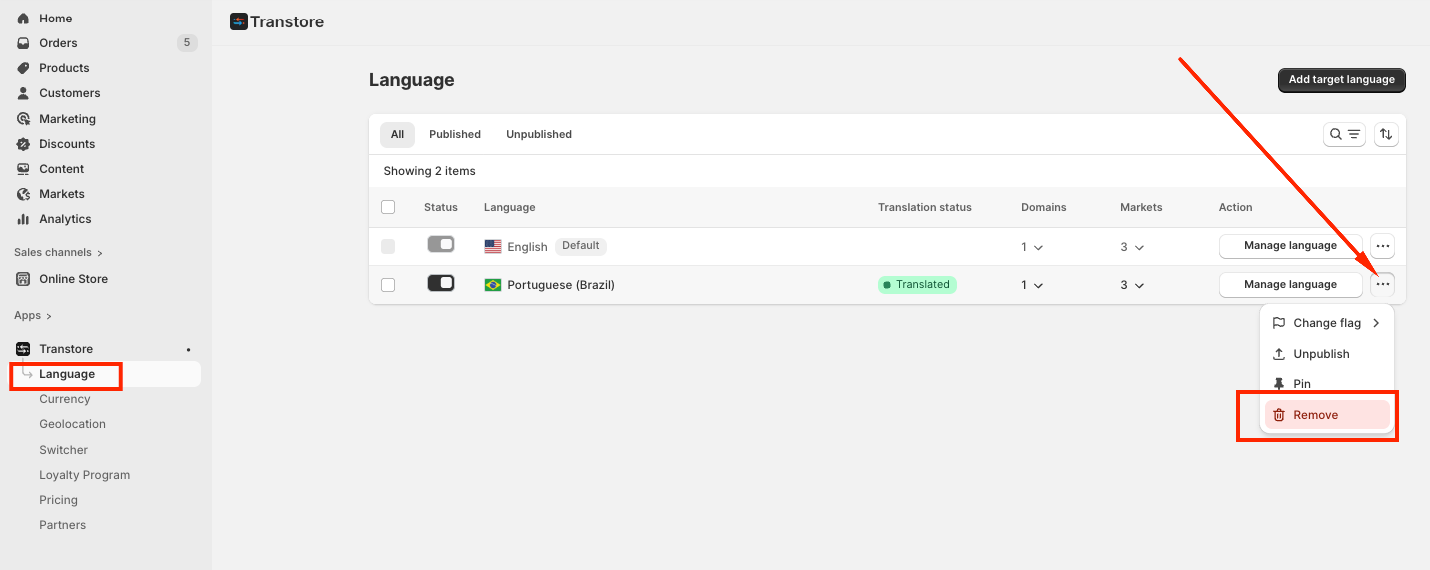
- Go to Language in your Transtore dashboard.
- Click the three-dot menu next to the language you want to remove.
- Select Remove.
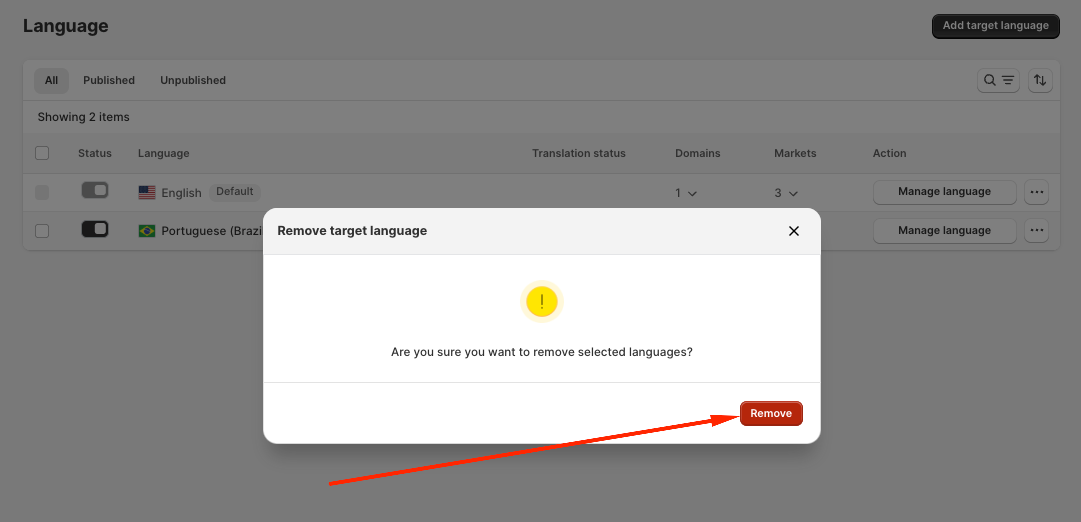
- Confirm your choice to permanently remove the target language from your store.
What happens when you remove a language?
- The language is permanently deleted from your store.
- Associated translations will no longer be available.
- You will need to add the language again if you want to use it in the future.
II. Unpublish a Target Language
If you want to temporarily hide a language without deleting it, you can unpublish it.
When a language is unpublished:
- It is hidden from the language selector on your storefront.
- Existing translations remain intact.
- You can republish it at any time.
To unpublish a language:
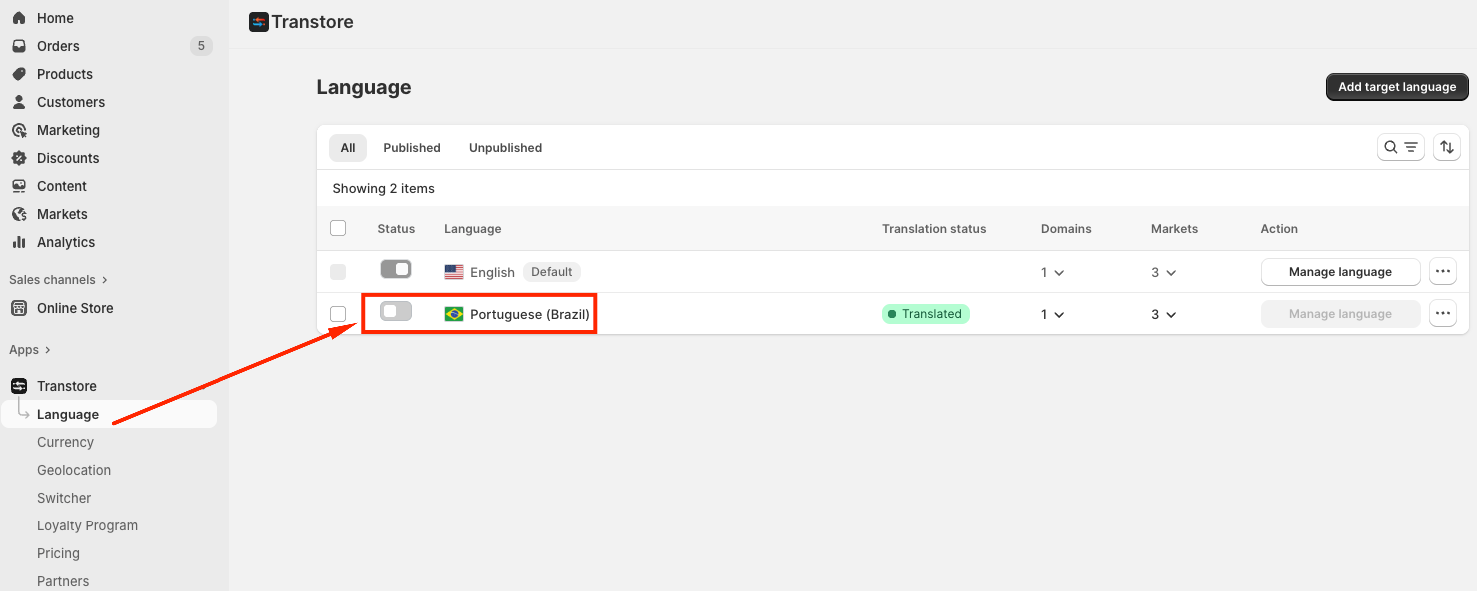
- Go to Language in your Transtore dashboard.
- Select the language you want to hide.
- Turn the language toggle Off.
Once unpublished, customers will no longer see the language in the selector, but all translations remain available for future use.
III. Publish, Unpublish, or Remove Languages in Bulk
If you manage multiple languages, Transtore allows you to perform bulk actions to save time.
To manage multiple languages:
- Go to Language in your Transtore dashboard.
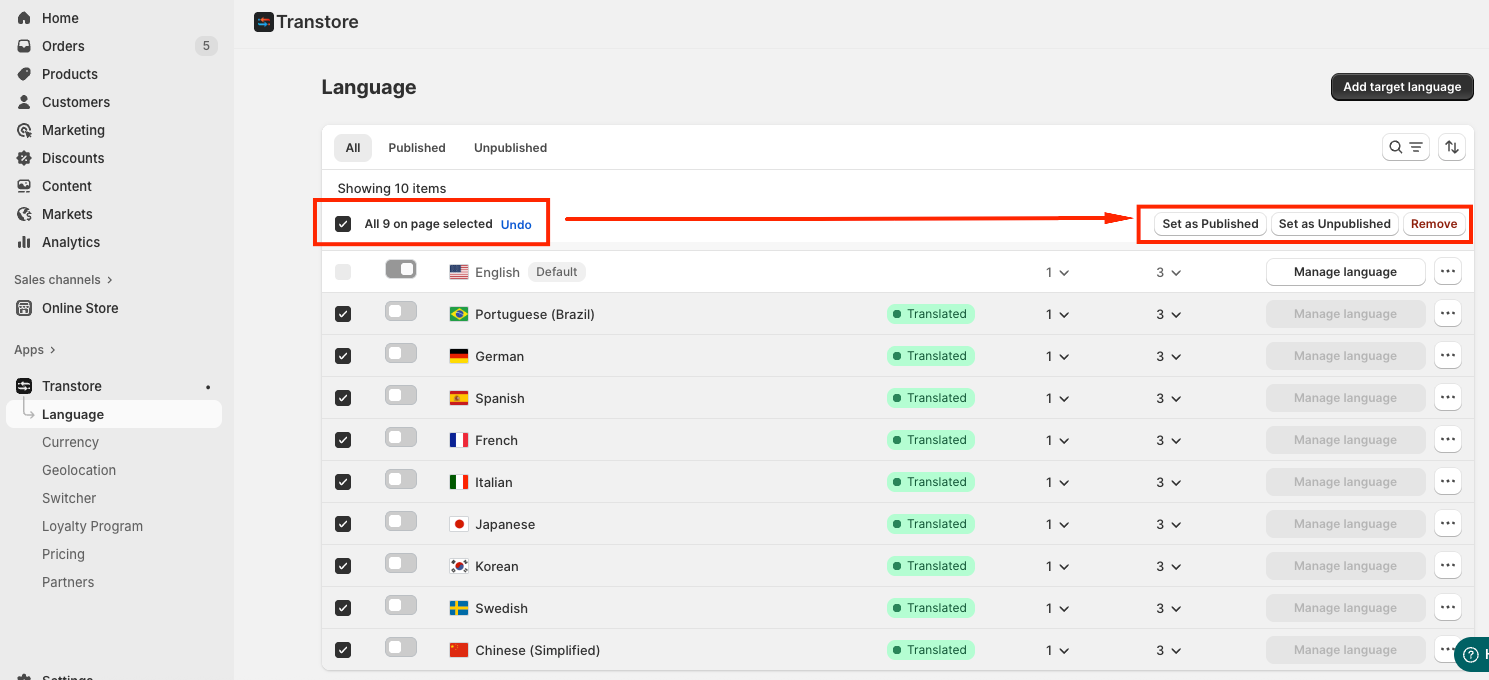
- Select the target languages you want to manage.
- Choose one of the available actions:
- Set as Published - Make all selected languages visible in the language selector.
- Set as Unpublished - Hide selected languages without deleting them.
- Remove - Permanently delete the selected languages from your store.
Bulk management helps you efficiently organize and maintain multilingual stores without updating each language individually.
Need Help?
If you need further assistance, please contact us at [email protected].